
Wednesday, June 27, 2007
Picasa With Mobile Version, Maps
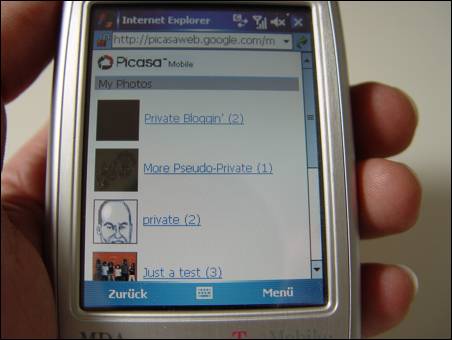
Google’s photo-sharing site Picasa Web Albums has a new mobile version. You’ll be presented with a list of your albums after you logged in to your Google Account, and clicking on an individual album will reveal a tiny thumbnail. If you select that tiny thumbnail, a not-so-tiny-but-still-small thumbnail of the image will appear (I don’t think you can get to the full size version of the image within the mobile version). “It’s clean, fast, and simple,” Reto Meier comments in his blog.
As usual with Google’s mobile sites, they make for good iGoogle gadgets, so I converted the Picasa mobile site to a gadget.
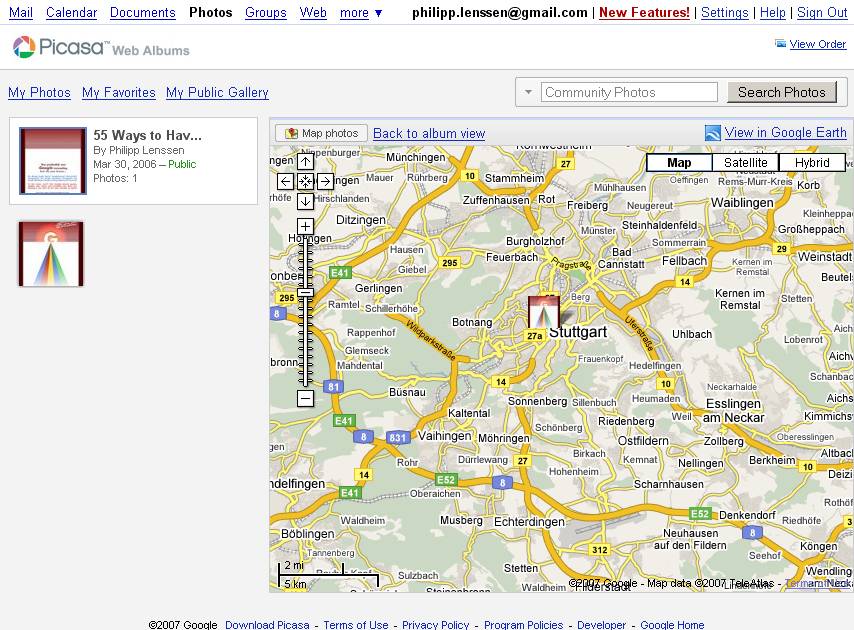
Another new feature for Picasa is that you can connect each of your photos to a location. If you’re on a particular photo page, follow the “Add location” link at the bottom right. A Google Maps widget pops up on the page and lets you search for a location. Once you found your preferred location for the item – say, a holiday snapshot was taken in Rome, Italy, so you’ve now located Rome – you can save it to close the map widget again. If you do this for a couple of photos for an album, you can then view them collectively on a map accessible from a “View map” link on an indivudal’s album frontpage.
[Thanks TonyB and Reto!]
>> More posts
Advertisement
This site unofficially covers Google™ and more with some rights reserved. Join our forum!