
Thursday, July 26, 2007
Subtitle Editor for Google Video
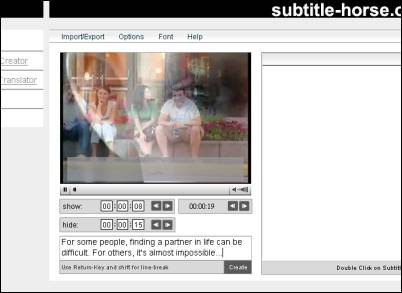
Subtitle Horse is the name of a very cool subtitle editor for Google Video, among other supported formats. You start out by entering the URL of a Google Video file, e.g. the URL for Guys and Dolls (a documentary about guys living together with Real Dolls... well worth watching). The video will then play on top and you enter line by line below the player, in real-time. The only problem right now is that when you enter “return” your input box loses focus; if this quirk is fixed, this will become a very usable subtitle editor.
When you’re done sub-titling your video, you can hit the “Import/ export” menu on top, select “Export”, and then “video.google” in the format list. Now you can copy the result, which will look something like this ...
00:00:06.000
Hello world.
00:00:08.900
00:00:15.000
This is a test
... and take it back to Google Video, where you can paste it into the subtitles box you’ll find when you click “uploaded videos” and “Captions/ Subtitles: Add”. Voila, your video is now subtitled. I suppose you can use this for serious purposes, or just have some fun fantasy-dubbing foreign movies!
[Thanks Björn! Guys and Dolls movie via Waxy.]
>> More posts
Advertisement
This site unofficially covers Google™ and more with some rights reserved. Join our forum!