
Monday, March 10, 2008
How to Unclutter YouTube
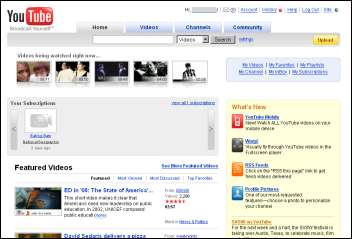
Not to say this is useful to everyone – when you visit the YouTube homepage perhaps you want to randomly explore – but here's how to unclutter the YouTube homepage. First, opt-in for the new personalized homepage by visiting youtube.com/iyt. Now jump over to the customization settings, uncheck every box, and hit Update. When you visit the YouTube frontpage now you'll see it's a bit more empty.
You can remove even more stuff by customizing your user stylesheet. In Firefox, create or open a plain text file named userContent.css in the folder %APPDATA%\Mozilla\Firefox\Profiles\[some name]\chrome (where "some name" is a folder with different names; also see how to find this folder on non-Windows systems). In Internet Explorer, open Tools → Internet Options → Accessibility, check the the "Format documents" box and point to your stylesheet. In the stylesheet write the following:
.hpSideBlock, #baseDiv #footer, .feedmodule-promoted,
#hpMainContent h1 {
    display: none !important
}
Restart your browser for this to take effect and load YouTube.com... which now looks similar to the following:
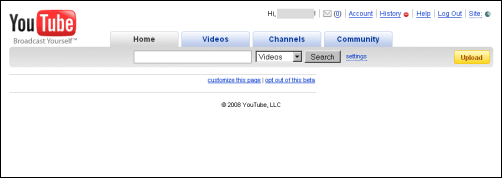
From this utter blankness you can still go back to the customization options and add some elements, like the one containing today's popular videos:
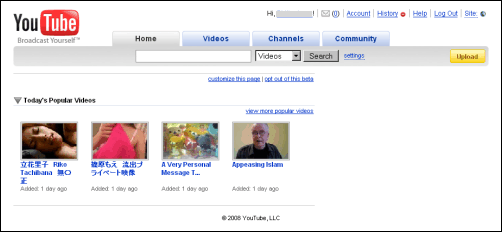
To undo all of these changes, first visit youtube.com/iyt?optout=true to opt-out of YouTube's personalized experiment. Then disable your user stylesheet by e.g. deleting it (Firefox) or unchecking the options box (Internet Explorer).
[Hat tip to Googling Google.]
>> More posts
Advertisement
This site unofficially covers Google™ and more with some rights reserved. Join our forum!