
Friday, October 17, 2008
G1 Phone Reviewed
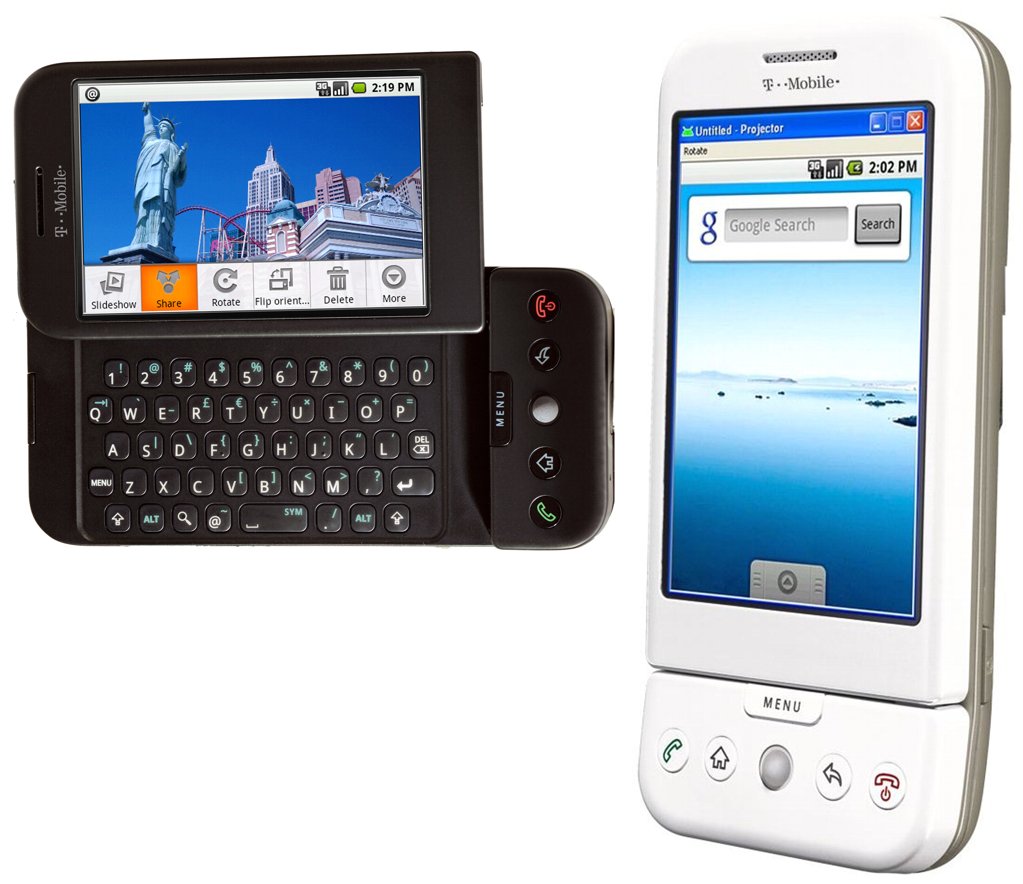
TechCrunch has an interesting review of the T-Mobile (HTC/ Google/ Android) G1 cell phone. In a nutshell, the major criticism is that you sometimes need the slide-out keyboard when you’d prefer the touchscreen, and that it will often result in flipping back and forth between the modes. Erick Schonfeld writes (and I’m reminded of some of the issues I had with my old T-Mobile/ HTC/ Windows Mobile phone, which I finally gave up on):
As a former Crackberry addict, I never thought I’d say this. But once you get used to typing on a touchscreen, it turns out to be easier and faster than typing on a tiny keyboard. It takes a while to realize this, but once you do there is no going back. (...)
Instead of offering up a keyboard whenever you need it, the G1 forces you to switch modes whenever you want to type. That involves flipping open the screen to reveal the keyboard below. The layout of the keyboard itslef takes a little getting used to. It looks like standard QWERTY keyboard, except that there is an additional “menu” button where the shift button should be. The shift button us below it. But to type secondary symbols like question marks and dollar signs, instead of hitting the shift button you need to hit an “ALT” button. I am constantly hitting the “menu” button out of habit.
Once you finally type out an email, you cannot send it using the keyboard. Rather, you have to hit the menu button, which brings up a “send” option. (...) The G1 forces you to switch back and forth between hardware and touchscreen inputs all the time. It is annoying and jarring.
>> More posts
Advertisement
This site unofficially covers Google™ and more with some rights reserved. Join our forum!