
Thursday, January 29, 2009
Gmail Now Available in Offline Mode
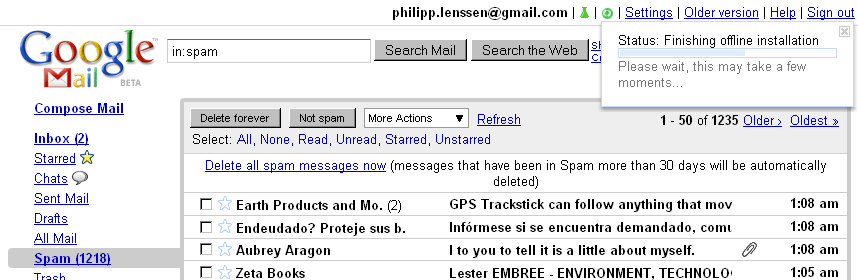
Gears is the name of Google’s browser tool to help bring offline capabilities (among other things) to web apps. Now, Gmail support for Gears is being rolled out too, in the form of a Gmail Labs experiment. To opt-in to this experiment, provided you have it available already, log-in to Gmail and click Settings -> Labs. Check the Enable box next to the experiment named “Offline”, and hit the Save Changes button at the bottom. Now, if you haven’t installed Gears already, you’ll be required to do so and restart your browser.
As soon as the Offline feature is set up, you will see a synchronization icon in the top. You can click it anytime to see the current syncing status, that is, how many messages have been downloaded. When a message is downloaded to your computer, you will be able to view it (and search for it) without an internet connection. According to Google’s help group on the subject, approximately 10,000 messages will be downloaded, with Google doing some guesswork as to which messages should be downloaded. When writing a mail while offline it will be stored in the new Outbox location, to be sent when you reconnect.
Google also provides a “flaky connection” mode with Gmail offline. It’s useful for “unreliable or slow connection”, Google says in their blog post, as “it uses the local cache as if you were disconnected, but still synchronizes your mail with the server in the background.”
[Thanks Rohit Srivastwa and Niranjan Bendre!]
>> More posts
Advertisement
This site unofficially covers Google™ and more with some rights reserved. Join our forum!