
Thursday, May 14, 2009
Which Page of Yours Has the Highest PageRank?
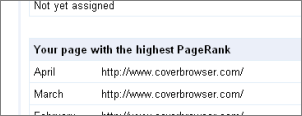
To find out which page of your site has the highest Google PageRank, log-in to the Google Webmaster Tools. Click on your verified site (or click “Add a site” and follow the instructions), and then Diagnostics -> Crawl stats (in the new interface). Scroll down on the page and you’ll see which of your page had the highest PageRank, broken down into the previous three months. Usually, the highest-PR page will be the homepage of your site, i.e. the root of the domain. Any of you out there for which that is not the case?
>> More posts
Advertisement
Advertisement
This site unofficially covers Google™ and more with some rights reserved. Join our forum!