
Wednesday, December 9, 2009
Google Chrome for Linux & Mac, Chrome Extensions (and a Promo Site With Privacy Hole)
Chrome for Linux and Mac
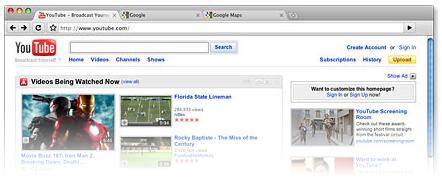
The Google Chrome browser is now also available for Mac (see screenshot above) and Linux. Google in an email some of you received said that there were “73,804 lines of Mac-specific code written”. If you run Mac or Linux, please comment on how you like this one!
Chrome Extensions
Also, Google now released extensions for Chrome. These are little browser add-ons and tools, or speaking in Chrome evolution terms, it’s the discovery of fire: you can now cook meat, look at cave paintings at night, scare away the sabertooth tiger, and accidentally burn your fingers. Installing an extension is easy: just browse the extension gallery, pick an extension you like – such as Google Translate, which translates pages on-click – and hit the install button. After a short download and a security popup you need to approve, the extension will be visible without any restart. Fun! Here’s what the translation widget, for instance, looks like in action – when you click the new button in the top right, a translation toolbar will expand:

If you decide you don’t like an extension, you can click the wrench icon → Extensions, and then select either Disable or Uninstall.
A Chrome promo site

In related news, Google has published a new Flash microsite where you can send “Google Chrome for Christmas” as a digital post card kind of gift, along with personal Chrome theme, message and photo upload. It looks like Google has programmed this with sloppy privacy protection, though: I won’t go into details for now but it’s quickly possible to see some random other people’s messages. Better make sure to not enter or upload anything private in the greeting card.
[Thanks Hebbet and Inferno! First screenshot from Google.]
Update: Google fixed the privacy issue in question.
>> More posts
Advertisement
This site unofficially covers Google™ and more with some rights reserved. Join our forum!